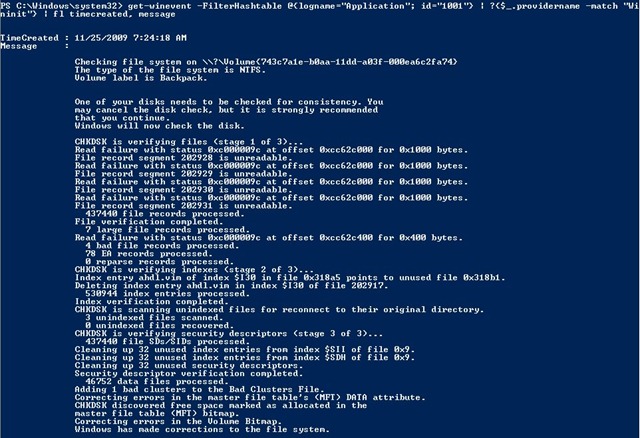
My recent hard disk failure made me realize that I had no idea where to find the CHDSK logs that are created when Windows runs CHKDSK at boot. In my case, I had just installed a drive that had a bunch of NTFS corruptions caused by a different computer.
Below I walk though what I think is the easiest way to find the CHKDSK logs (and more) which are available in the Windows Event Log.
Continue reading ‘Where to find CHKDSK results in Vista, Windows 7′
EDIT 2009/12/11: Microsoft Provides a tool to do this for you - Windows 7 USB/DVD Download Tool which is available for download here. If you need instructions on how to use the tool, see the Microsoft Store Help on the ISO-Tool (http://store.microsoft.com/Help/ISO-Tool).
It surprised me to find that there are very few dead-simple guides to creating a bootable USB thumb/pen/flash drive for a Vista and/or Windows 7 installation. I cobbled together the following from VistaPCGuy and another source I don’t remember right now.
This will walk through the steps to create a bootable USB flash drive for the purpose of installing a Vista or Windows 7 OS. These instructions assume that you have a computer with Windows Vista installed on it.
Continue reading ”

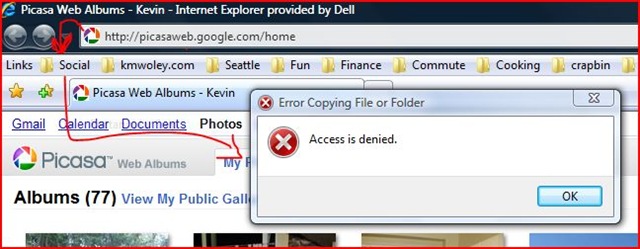
It’s common to use the “Links” toolbar in IE to keep your favorites handy. What’s great is that you can drag-and-drop into the folders directly from the link without having to use somewhat-clunky Add Favorites dialog. Drag, drop, and you’ve got your bookmark.
Having just purchased a new PC, I copied my Favorites from my old machine to the new and encountered a well known issue with Windows Vista User Account Control. Skip to the end if you just want to fix your problem. If you’re curious about the details, here’s the rough outline:
Continue reading ‘Dragging/Dropping bookmarks to Favorites: Fixing "Access is Denied" error in Internet Explorer on Vista’
Recent Comments